
 09 April 2026
 Share
Share
1
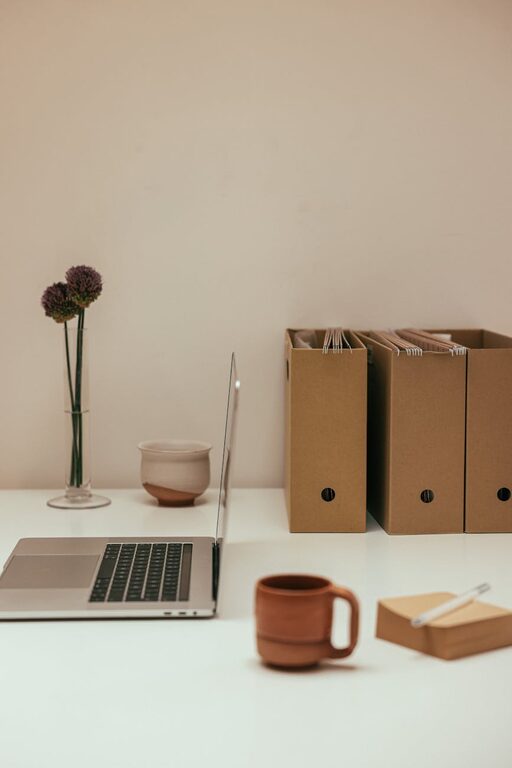
Creating a home office that is both clutter-free and efficient can significantly improve your productivity and overall well-being. Whether you work remotely full-time or occasionally need a dedicated space for tasks, organizing your workspace thoughtfully makes a big difference. Here are practical tips to help you establish a home office that is welcoming, orderly, and designed to support your best work.
A cluttered workspace can distract, increase stress, and make it harder to focus. Conversely, an organized office helps you find what you need quickly, maintain focus, and feel motivated. By minimizing clutter, you also create a calming environment that encourages creativity and concentration.
Before organizing, pick a spot that suits your work style and needs.
– Consider natural light: A bright space reduces eye strain and boosts mood.
– Think about noise levels: Select a quieter area to reduce distractions.
– Space requirements: Ensure the area accommodates your desk, chair, and any equipment or supplies you need.
Begin by removing anything that doesn’t belong or isn’t necessary for your work.
– Sort items into categories: Keep, donate, recycle, or toss.
– Limit what goes on your desk: Only essentials like your computer, phone, and a notebook.
– Digitize documents: Scan important papers and organize digital files to reduce physical clutter.
The right furniture supports comfort and efficient use of space.
– Ergonomic chair: Choose a chair that supports your posture.
– Desk with storage: Look for desks with drawers or shelves to keep supplies tucked away.
– Use vertical space: Add wall shelves or pegboards to store items without crowding your desk.
Keep your tools and supplies easy to access but neatly stored.
– Use drawer dividers: Separate pens, paperclips, and other small items.
– Label containers: Clear labeling on bins or boxes speeds up finding and returning items.
– Keep cables tidy: Use clips or sleeves to prevent cords from tangling.
Maintaining an organized office requires ongoing habits.
– End-of-day tidy-up: Spend a few minutes putting items back in place.
– Regular sorting: Schedule a weekly or monthly review to clear any accumulated clutter.
– Limit distractions: Keep personal items minimal to maintain focus.
Add elements that inspire without causing clutter.
– Minimal décor: A plant, a photo, or artwork can enhance comfort.
– Functional accessories: Stylish pen holders or a calendar blend utility with aesthetics.
– Comfort items: A cozy throw or footrest can make your time spent working more pleasant.
Good lighting and fresh air improve comfort and energy.
– Task lighting: Use adjustable desk lamps for focused work.
– Natural airflow: Open windows or use a fan to keep the space fresh.
– Avoid glare: Position your screen to reduce harsh reflections.
Leverage digital tools to reduce paper and streamline work.
– Cloud storage: Keep files organized and accessible from anywhere.
– Task management apps: Track to-do lists and deadlines digitally.
– Cable management: Consider wireless devices to cut down on wires.
—
By following these tips, you’ll create a home office that is tidy, efficient, and comfortable. Remember, the key to a lasting organized space lies in consistent habits and intentional choices. Happy organizing!
